
Getting Started with Your Application
Before you begin, it is important to understand that the Application and Registration processes are two different things. The initial Application process happens once. The following day after entering your Application you can come back to Register, at which point you will establish your username and password, which then allows you to log in to update your Application.
Until you complete the Registration process you will NOT have a username and password to manage your application.
It may seem counterintuitive, but the workflow is:
- Create your Application
- Register to create an account (the following day)
- Log in to your account to manage your Application
Step 1: Application
The first time you visit the Online Application you will use the Start Here button to enter your application information.

At the end of the application process you will be assigned a confirmation number. Please print the confirmation page or write down the confirmation number and keep it handy for the Registration process. You will need to wait until the following day to proceed with Registration.
Step 2: Registration
The following day, with your confirmation number handy, come back to the Online Application and click the Already Applied? link.
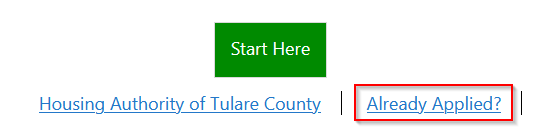
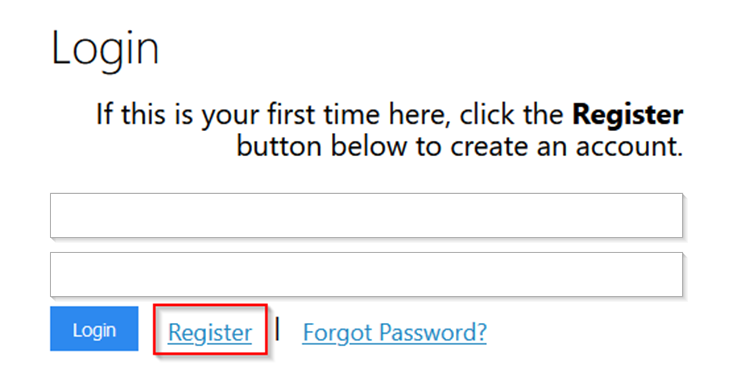
On the next screen, click the Register link to create your login.
Step 3: Log In
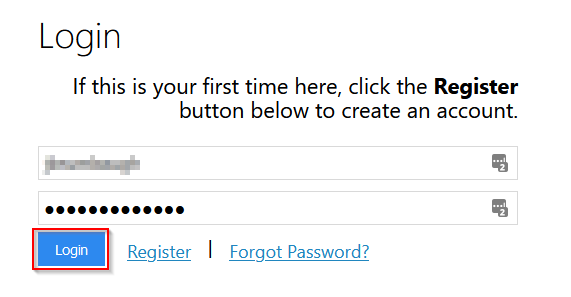
Once you have completed Registration, you will use the username and password you created to log in and manage your application.
Ready to Apply?
When you are ready, use the link below to visit the Online Application portal.
HATC Online Application Portal
(Clicking this link takes you to a third-party site not controlled by HATC)